Fintech · Live product · NDA concept
CO₂ Calculator
A carbon calculator that shows you where you are, from the first field to the final report.
A leading Bulgarian bank wanted small and medium-sized businesses to measure their carbon footprint without a headache. I redesigned both the calculator they use and the back office behind it, where admins manage algorithms, languages and reports.
The real product is live. This case study shows a concept with mockup data, not the production system.
Problem
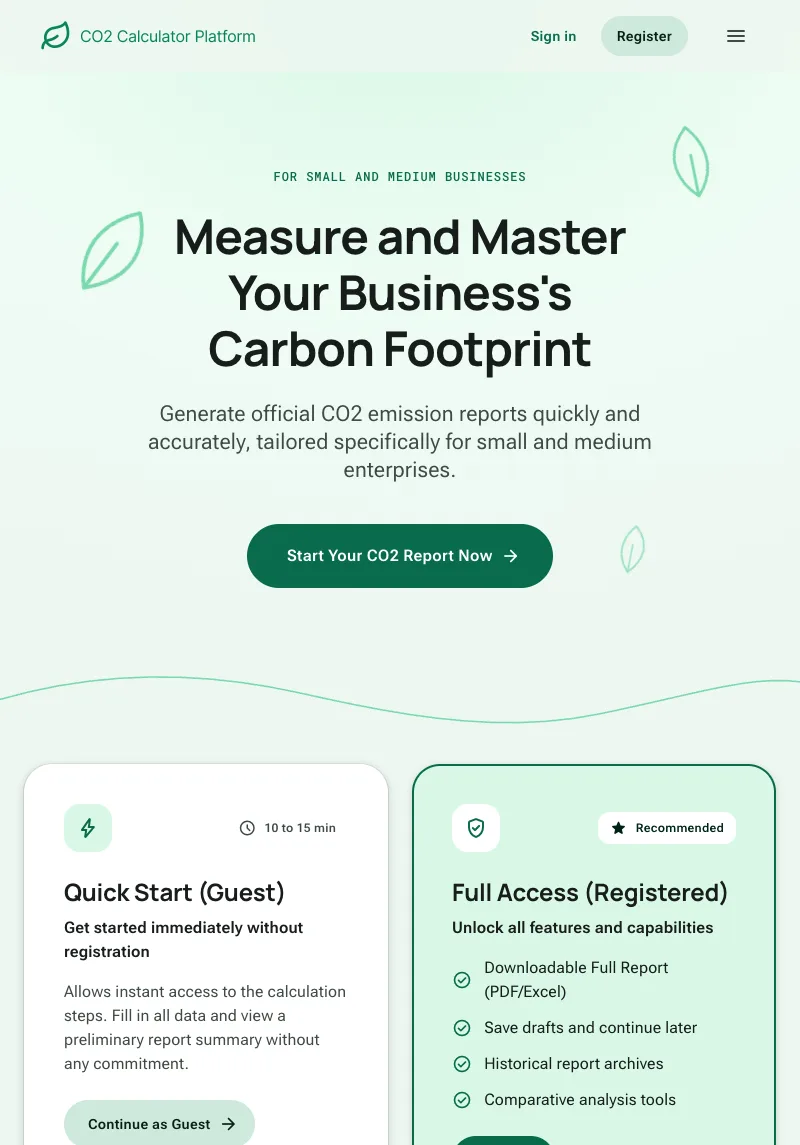
Business users felt lost in long, scrolling forms, and admins couldn't find the pages they needed.
When I joined the project, the CO₂ Calculator suffered from poor UX, inconsistent visuals and unclear navigation, which frustrated both business users and admins.
- Pain pointHidden pages
Key pages like Reports were buried in nested menus of the back office.
- Pain pointConfusing languages
Nobody knew if Languages changed the platform's language or managed translations for tenants.
- Pain pointNo sense of progress
Long, scrollable pages with no sign of how much was left to complete.
- Pain pointInconsistent visuals
Buttons, icons and navigation patterns changed from screen to screen.
Research
I started with a heuristic evaluation, backed by real user feedback the bank shared with us.
- Method 01Heuristic evaluation
Ten usability heuristics, each with the observed issue, a user quote, its severity and a recommendation.
- Method 02Real user feedback
What business users and admins told the bank, mapped to each heuristic.
- Method 03Design system review
I checked what our internal design system already had. It turned out to include a progress tracking component.
- The evaluation board
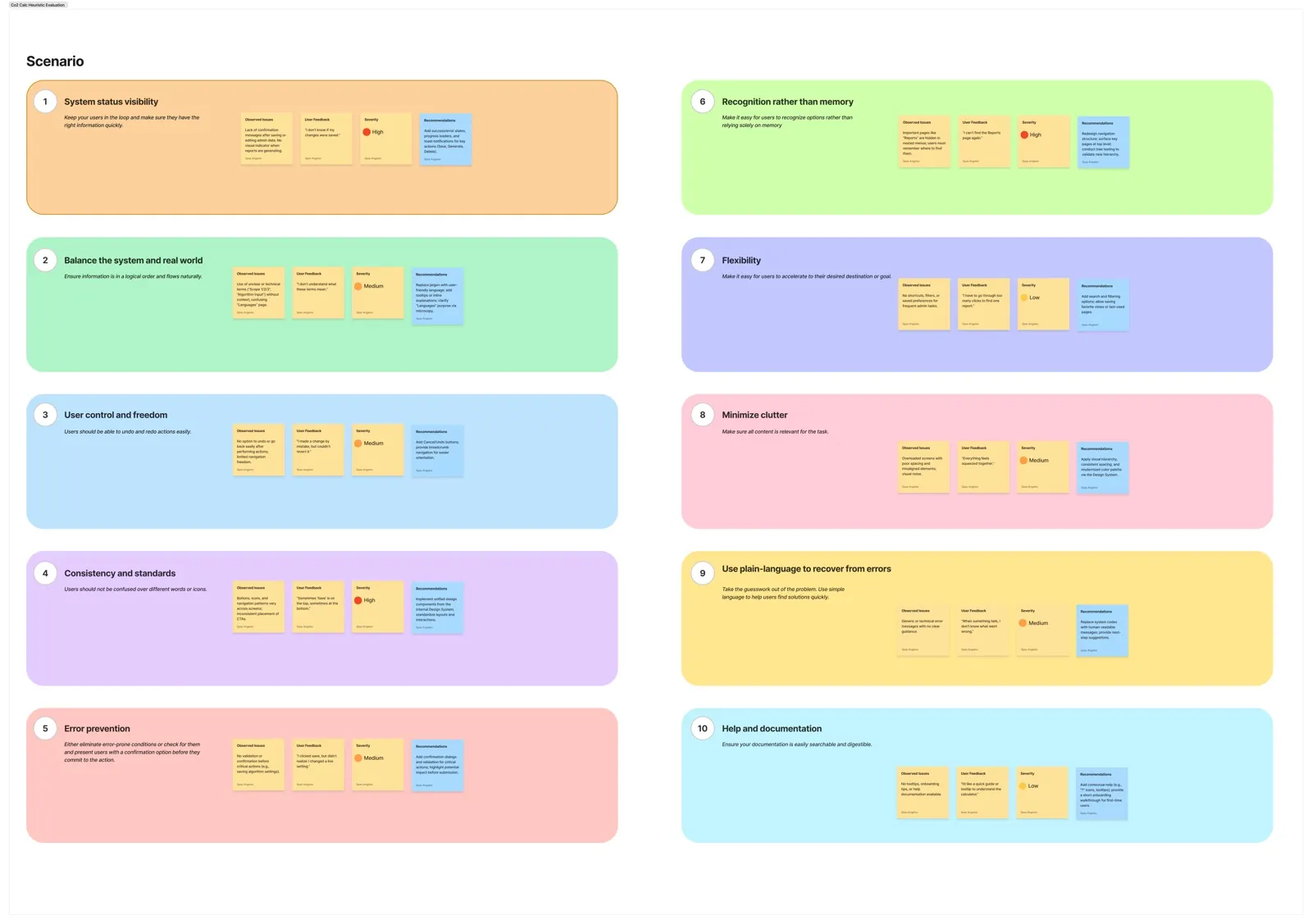
Mapped in FigJam. Open the full board ↗
Insights
Ten heuristics, ten problems. Three of them were severe.
- 3high severity issuesFrom the heuristic evaluation
- 5medium severity issuesFrom the heuristic evaluation
- 2low severity issuesFrom the heuristic evaluation
“I don't know if my changes were saved.”
“Sometimes 'Save' is on the top, sometimes at the bottom.”
“I can't find the Reports page again.”
“I don't understand what these terms mean.”
“When something fails, I don't know what went wrong.”
“Everything feels squeezed together.”
The quotes are user feedback the bank shared with us. Each one sits next to the heuristic it breaks and the severity I gave it.
Process
We used our internal design system for the first time in a white label product.
- Design systemConsistency
The same components and behavior across every module.
- Design systemSpeed
Faster delivery on a short timeline.
- Design systemAccessibility
Design quality kept at WCAG 2.1.
- RedesignSimpler navigation
A clearer structure for the calculator and the admin.
- RedesignLanguage vs. translations
A clear line between the platform language and tenant translations.
- Colors
- Primary#09865C
- Gray#374151
- White#FFFFFF
One green primary scale for actions and status, and a cool gray scale for text and surfaces.
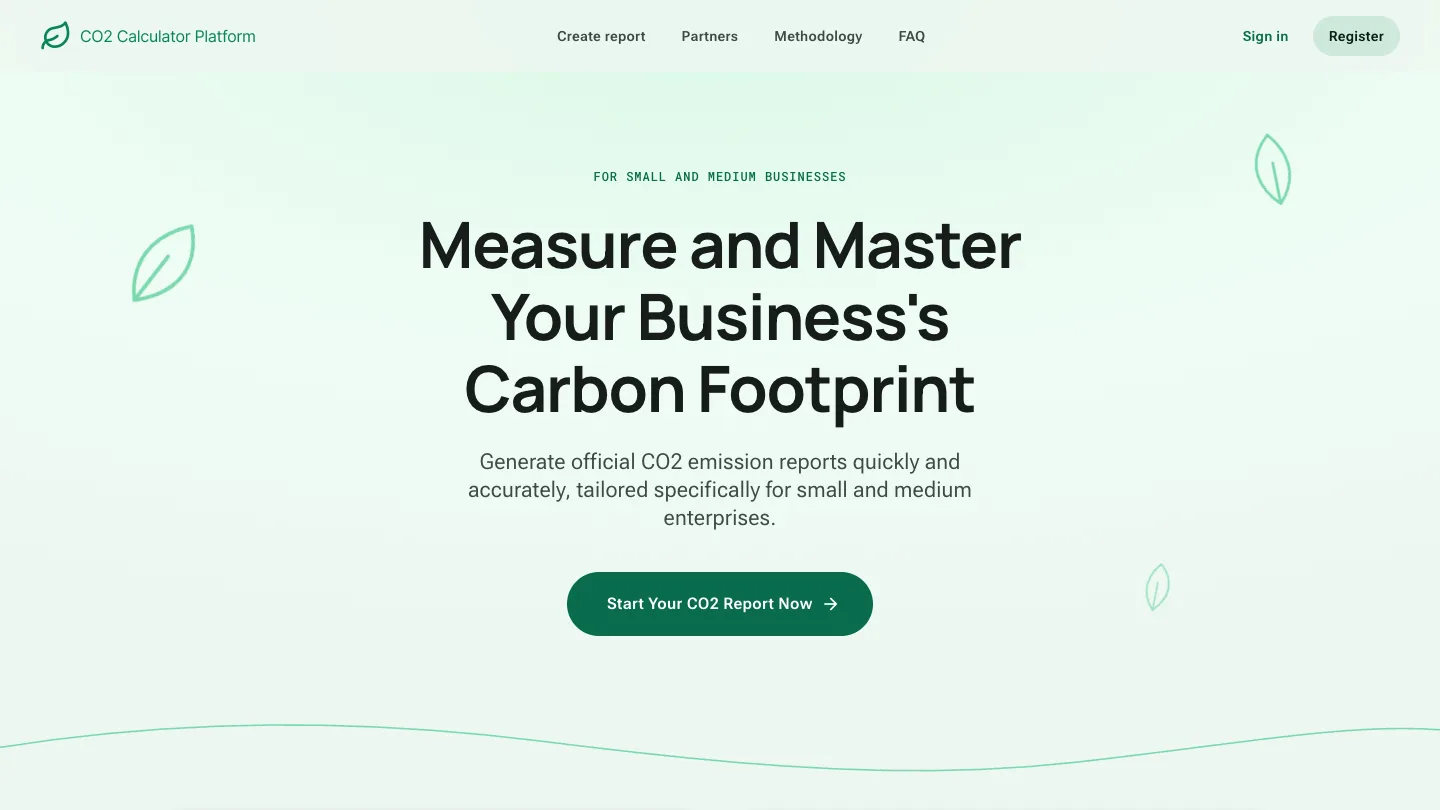
- 01Landing
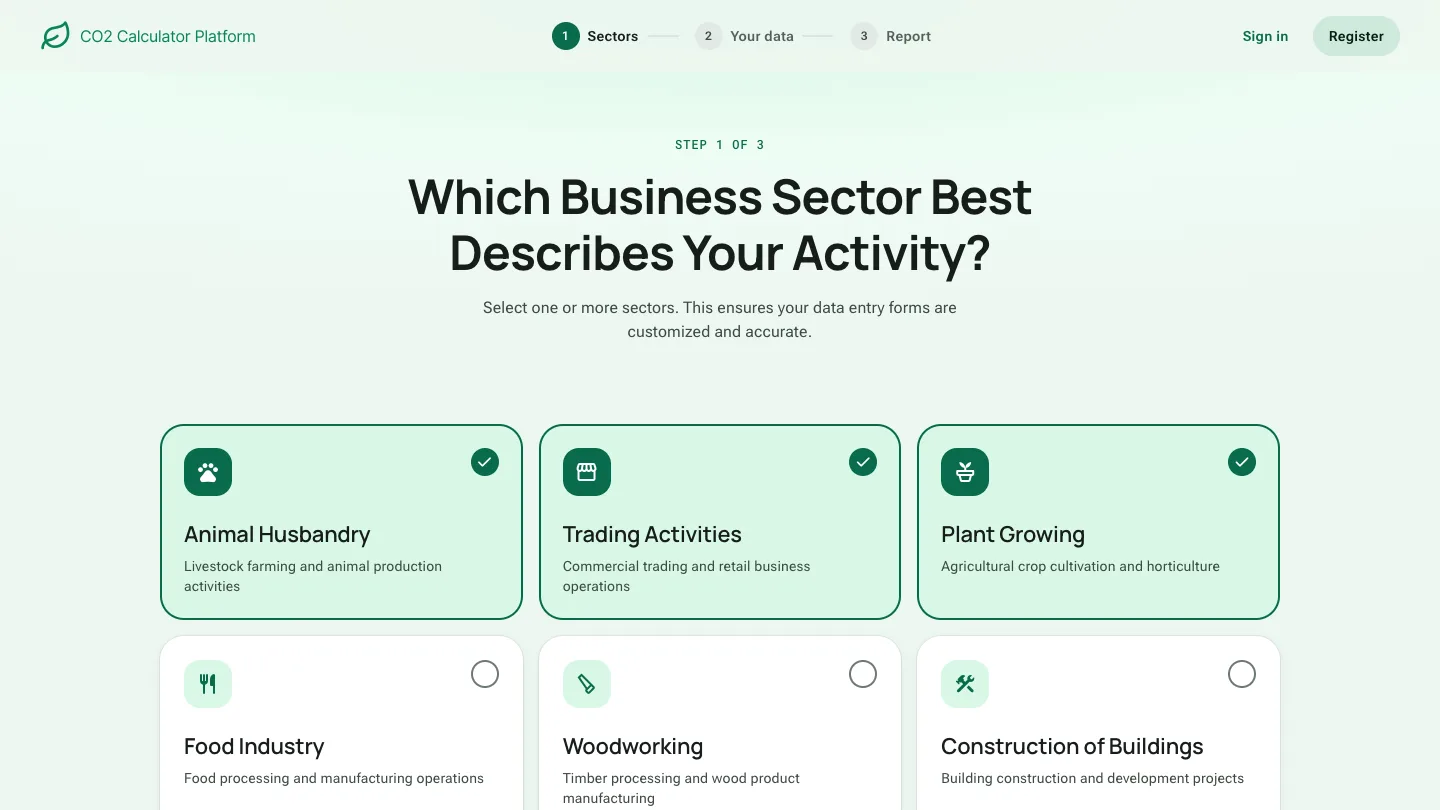
- 02Choose sectors
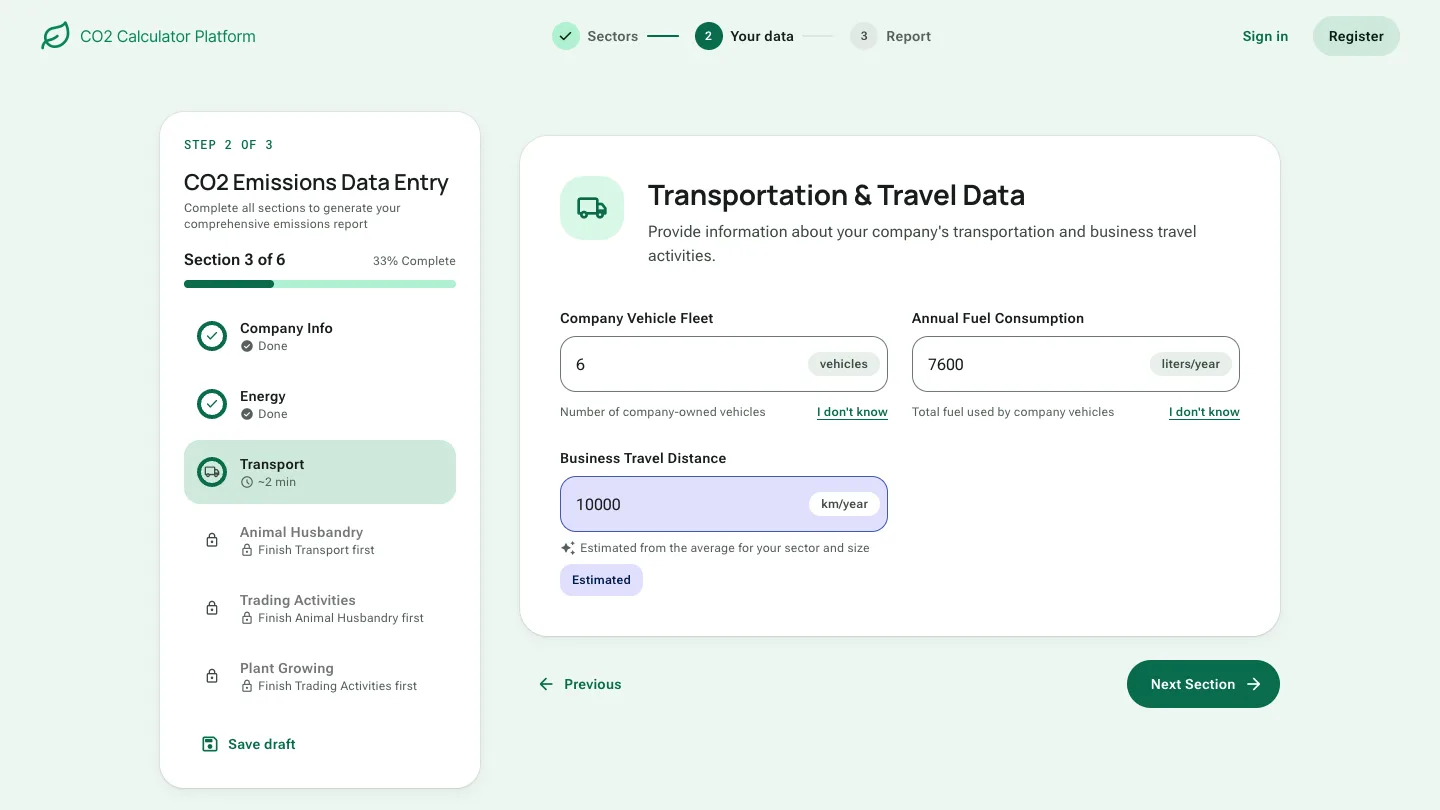
- 03Enter the data
- 04Get the report
Solution
One step at a time, with clear feedback at every step.
Later I rebuilt the calculator as a coded prototype on one design system, based on Material 3, with the original copy. Every screen below comes from it, and you can click through it yourself.
Clear progress indicators
The new design introduced a step based progress tracker, adapted from our internal design system. People follow their progress, move between steps without losing data, and get real time feedback when fields are left empty.
- Where you are overall
Three steps at the top: sectors, your data, report.
- How much is left
Section 3 of 6, 33% complete. No more guessing on a long page.
- Move freely
Done, current and locked sections in one list. A locked one says what to finish first.
- Not sure? Estimate it
I don't know fills in an estimate for the sector and marks it, so nobody gets stuck on one number.
Clear system feedback
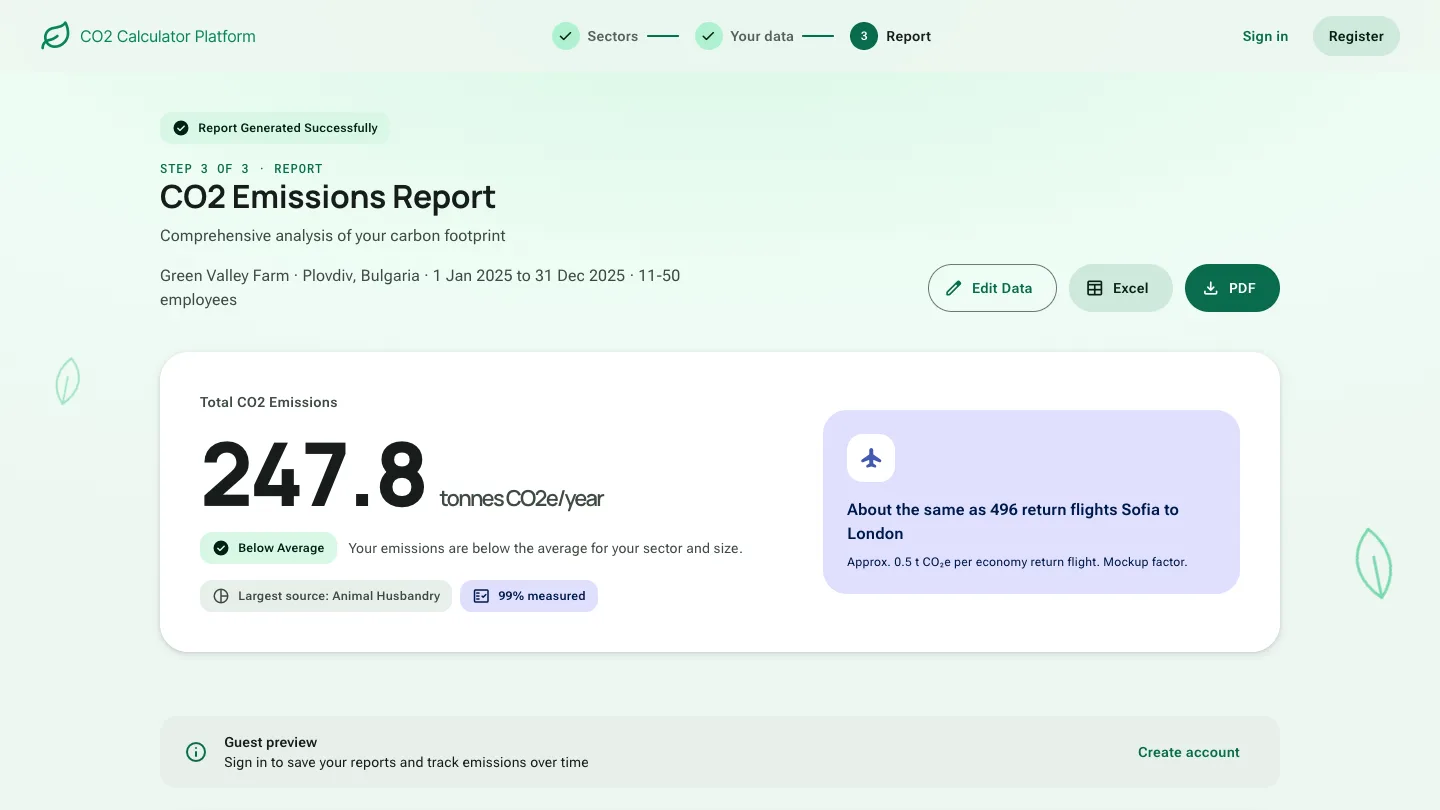
People used to be unsure whether saving or generating a report had worked. We added status indicators, success and error messages, and progress loaders, so every action is transparent and predictable.
- It worked, and it says so
A green success message confirms the report was generated.
- One number first
The total emissions come first, big and easy to read.
- Context, not just data
A status and one line say what the number means.
- Something to picture
An everyday equivalent, marked as approximate.
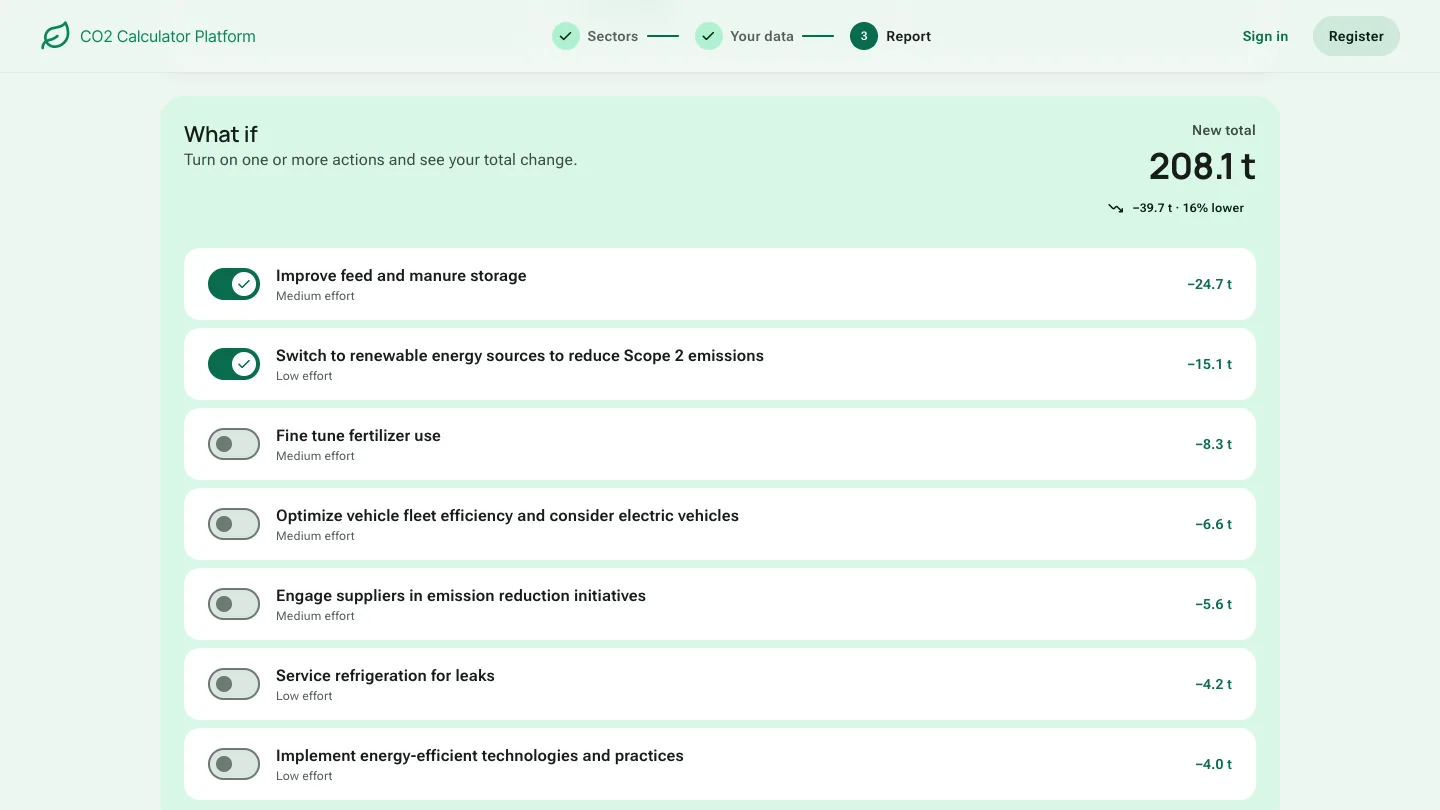
- 01What if
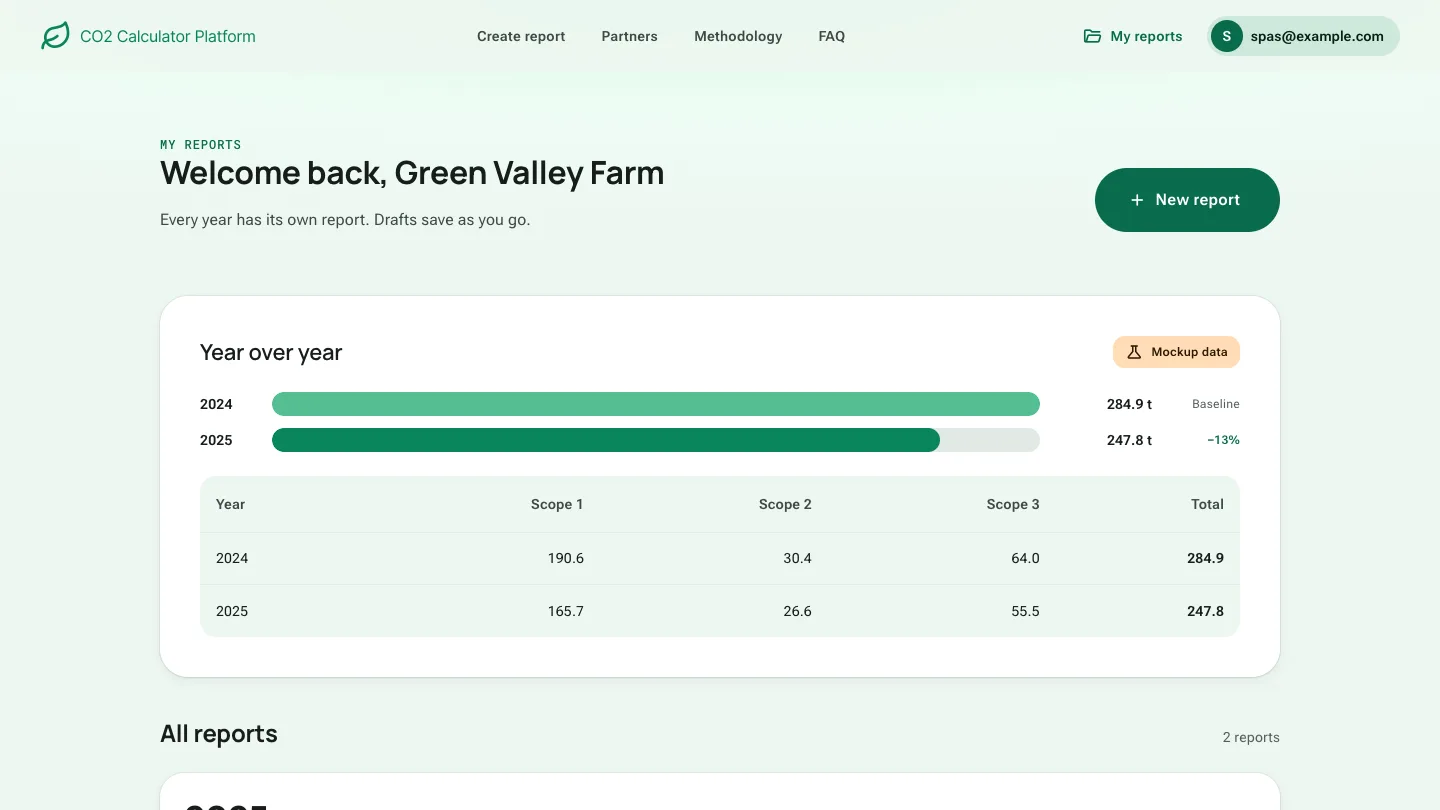
- 02My reports
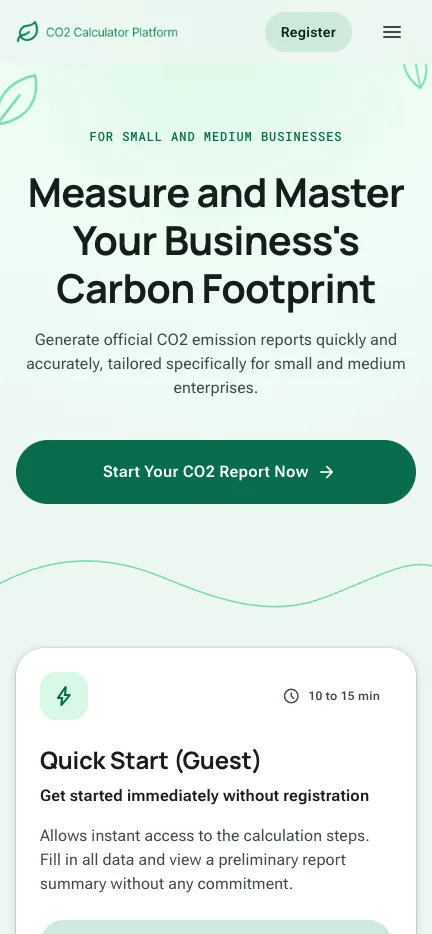
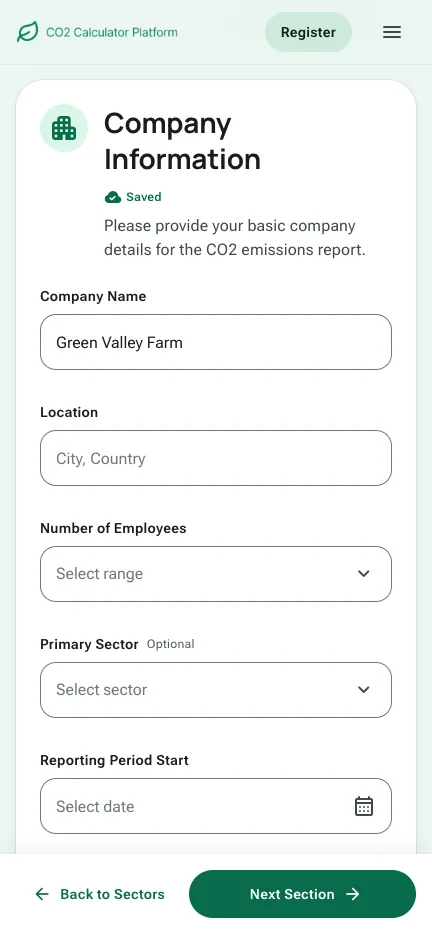
Responsive for web and mobile. Mockup data.
Validation and results
Admins found Reports and Languages on their own, and business users finished faster, with fewer errors.
- 15bank users tested the redesignUsability and tree testing
- Usability testingSmoother calculations
Real bank users completed their calculations faster and with fewer navigation errors.
- Tree testingPages found without help
Admins located key sections like Reports and Languages on their own.
“Much clearer, faster, and easier to follow.”
- Try it yourself
Click through the coded prototype: start as a guest or create an account, fill in a report and compare years. Mockup data.
Open the prototype